Common Problems
Common faults and symptoms.
- Xbox no signal, display, HDMI, or power problems.
- Overheating, fan noise, shutdowns, storage, and update faults.
- Controller pairing, account setup, and replacement advice.
Hamilton Repair Service
K Square Tech helps Xbox users with repair triage for display issues, HDMI symptoms, overheating, power faults, storage questions, updates, account setup, and controller pairing.
Serving Hamilton, Te Rapa, and the wider Waikato region.
Common Problems
Supported Work
Repair Process
Local Service
Contact our Te Rapa team with the device model, symptoms and any backup concerns. For a business enquiry, include how many devices or staff are affected so we can discuss the next step.
Contact K Square TechFrom our workshop
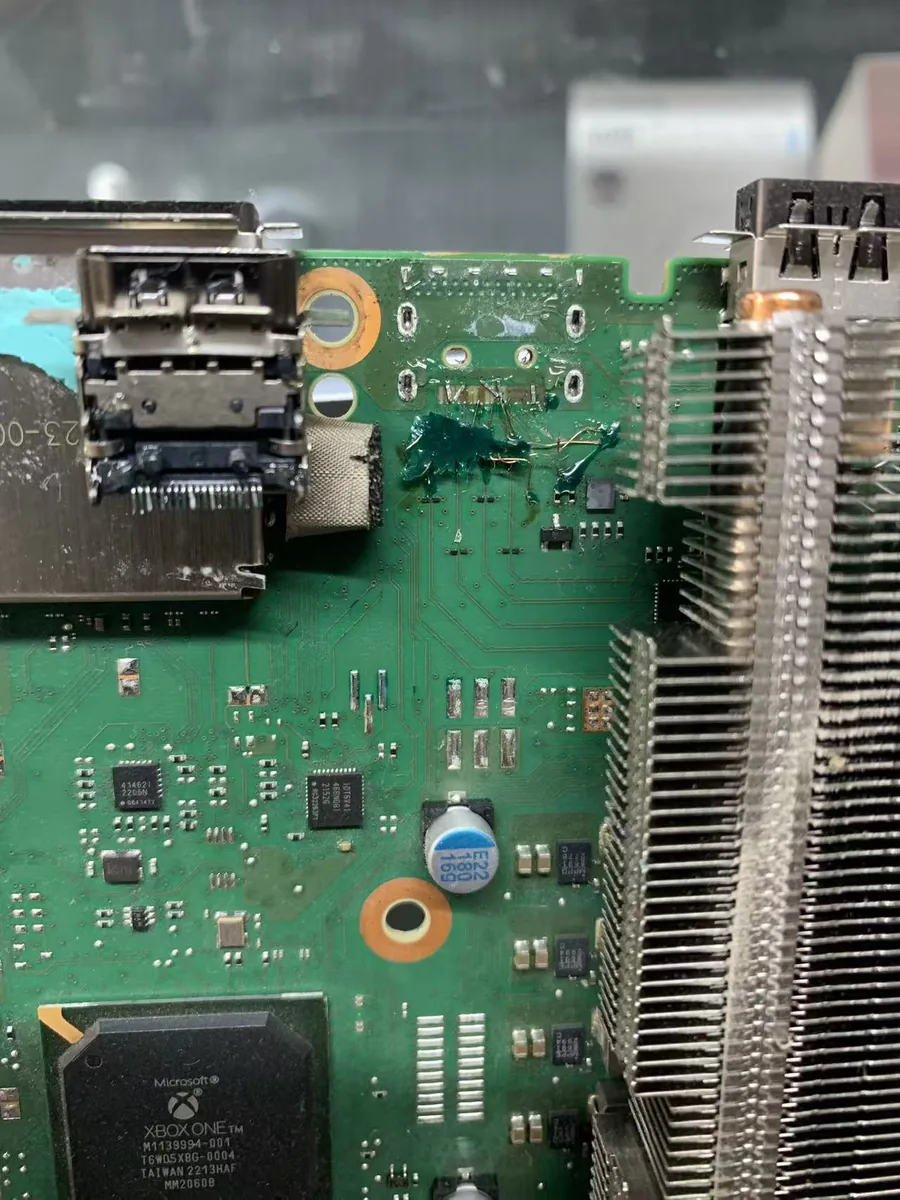
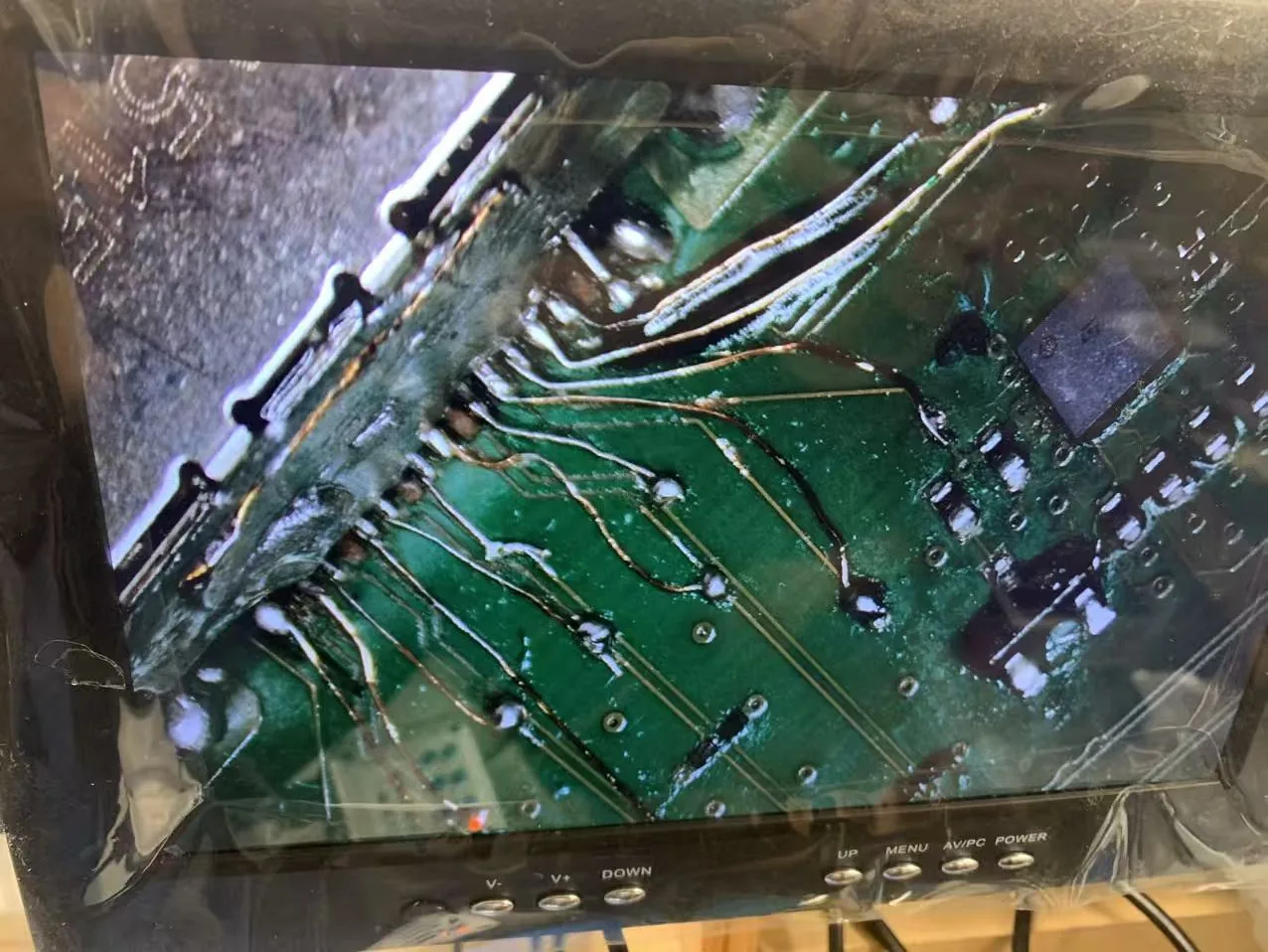
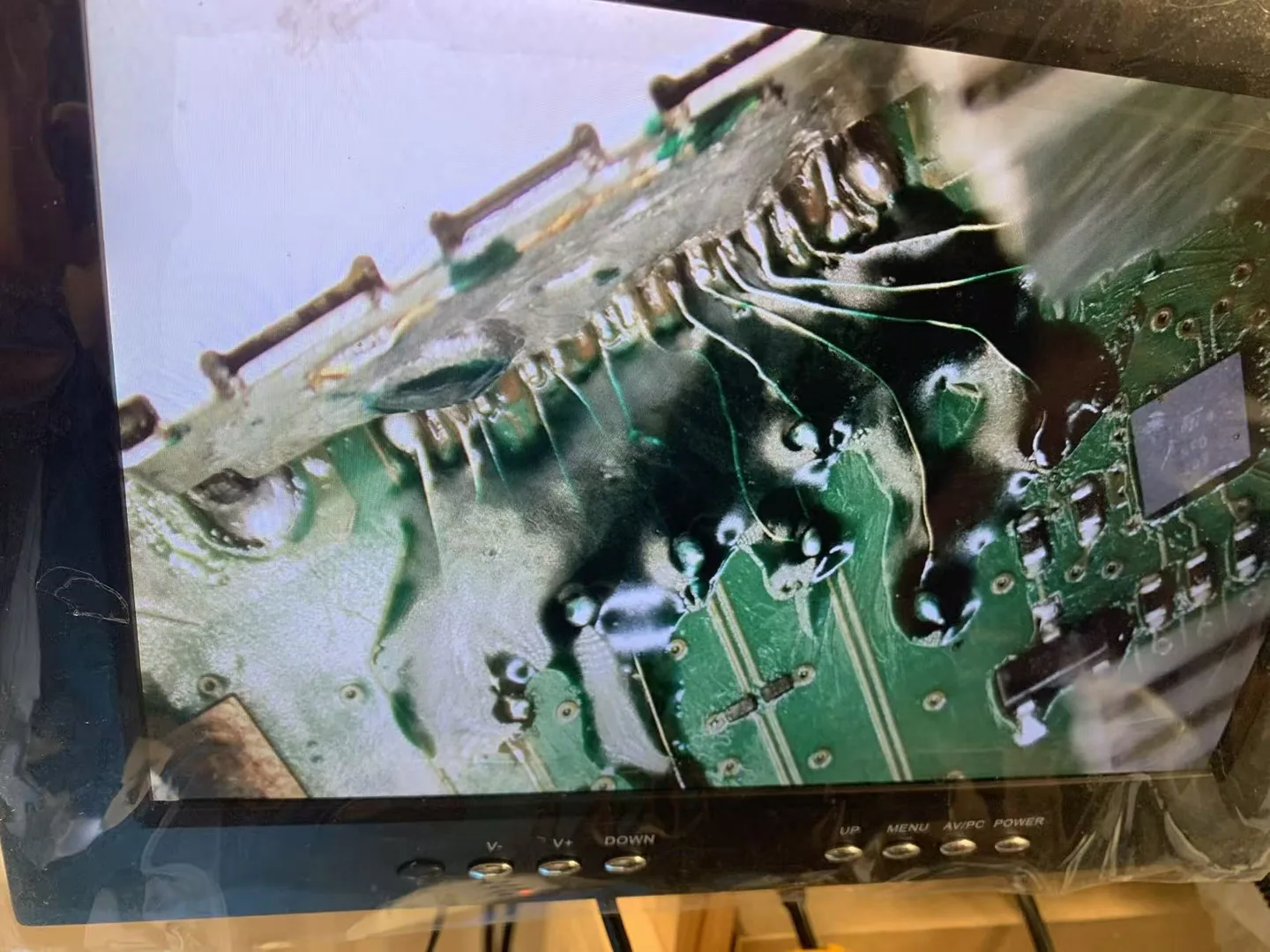
The HDMI connector area showed signs of previous repair, adhesive around the port and extensive damage to the motherboard connection pads.
We rebuilt the damaged HDMI connections with fine jumper wires and soldered a new HDMI port in place. UV-curable solder mask was then applied to secure and insulate the reconstructed connections. The console returned to normal operation and passed power-on and display testing.
This example describes one device. A similar symptom can have a different cause; repair options depend on the model and condition.
Discuss your device with usFind help for related devices and faults.
Quick answers for customers comparing technology support options.
Yes. K Square Tech can help triage Xbox no signal and HDMI-related symptoms before repair or replacement decisions.
Yes. Overheating can come from dust, airflow, fan issues, placement, heavy use, or internal thermal problems.
Yes. K Square Tech can help with basic setup, account, network, storage, and controller pairing advice.
Send the device model, issue, photos if useful, and best contact method. K Square Tech will help you choose a practical repair, setup, or replacement path.